
Vertical Layouts
You can change or customize the left side navigation very easily. Following guide would help you to do that.
How to add new menu items/change menu items?
In order to add, change or remove menu items from the left side navigation, simply edit in file
src/html/partials/left-sidebar.html. The change would reflect in all the html files automatically.
We are using gulp-file-include which would actually take
care of including the left-sidebar.html file content in all the html pages.
How to change width?
In order to change the width of left side navigation bar, open a file
src/scss/_variables.scss and change the value of variable
$leftbar-width. The default value is set to 240px.
How to change background or menu text color?
In order to change the background color, open a file
src/scss/scss/_variables.scss and change the value of variable
$bg-leftbar-light the default light value is set to
#f7f7f7, $bg-leftbar-dark the default dark value is set to
#343b4a.
When you change the background color, you might want to change the color of menu accordingly. To change
the color of menu item, change the variable $menu-item.
Similarly, change the value of variables $menu-item-hover and $menu-item-active.
You can change other styles by making modifications in src/scss/custom/structure/_left-menu.scss.
How to use pre-built layouts?
Each of the layout options is provided below with steps you would need to perform:
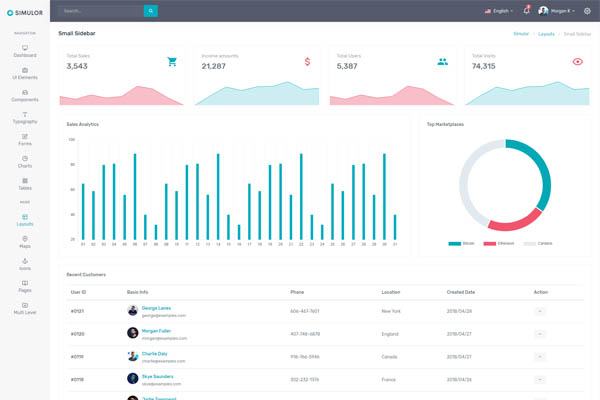
Small Sidebar
Keep your body element with classleft-side-menu-sm E.g. <body class="left-side-menu-sm"> to have small sidebar.
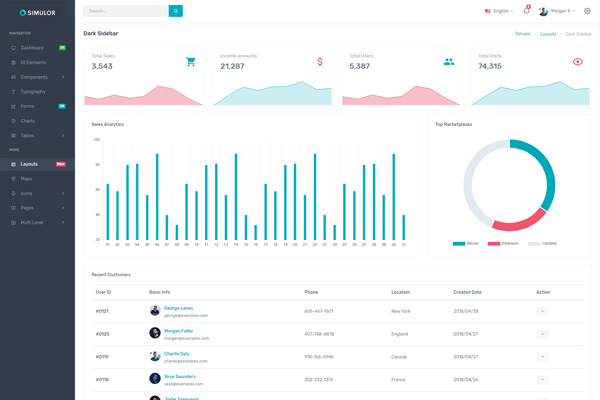
Dark Sidebar
Keep your body element with classleft-side-menu-dark E.g. <body class="left-side-menu-dark"> to have dark sidebar.
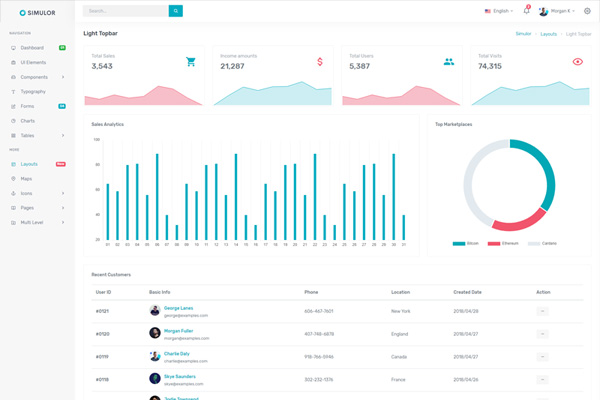
Light Topbar
Keep your body element with classtopbar-light E.g. <body class="topbar-light"> to have topbar light.